— ୨୧ Github Projects ୨୧ —

Summary:
- In my personal project focused on Aerospace Design in Seattle, WA, I've ...
Pink Calculator
Overview:
- The Pink Calculator is a custom-built calculator application developed using python and Tkinter library. It combines an attractive, modern interface with powerful functionality to handle both basic and advanced mathematical operations. The calculator supports light and dark modes, providing a flexible user experience.
Features:
- The Pink Calculator features an intuitive toggle switch to switch between light and dark modes:
- The dark mode toggle switch features a rounded design with a small circle that moves left and right to indicate the active mode. This visual cue helps users easily switch between themes while maintaining a consistent interface.
- The Pink Calculator supports a wide range of advanced mathematical functions, including:
- Trigonometric Functions:
sin,cos,tan, and their inverses (sin⁻¹,cos⁻¹,tan⁻¹) - Logarithmic Functions: Natural logarithm (
ln) and base-10 logarithm (log) - Exponential Functions:
e^x - Special Constants: Pi (
π) -
These functions are implemented using Python's built-in
evalfunction, which allows for dynamic evaluation of mathematical expressions entered by the user. To ensure accuracy and avoid errors, the calculator handles exceptions gracefully and provides user-friendly error messages when invalid input is encountered. - The calculator maintains a history of calculations, which is displayed in a separate list box. This feature allows users to review previous computations and results, enhancing usability and providing a record of work.
Light and Dark Modes -
Advanced Calculations -
History Tracking -
Requirements:
- Python 3.x
- Tkinter (usually included with Python installations)
Photo:
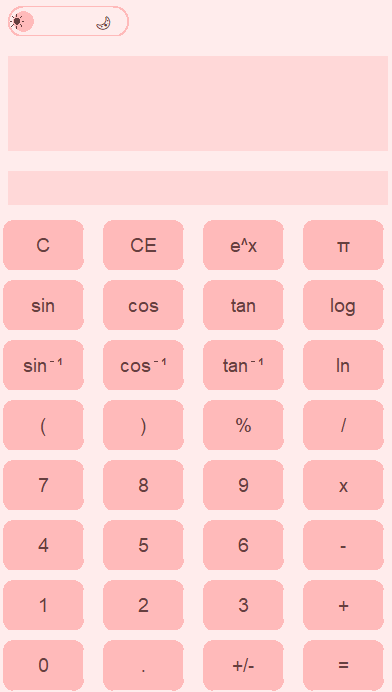
Light Modes
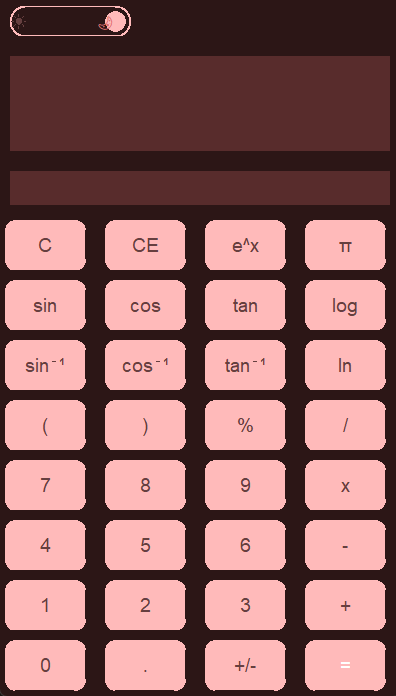
Dark Modes
Pink and Pretty Tic-Tac-Toe Game
Overview:
- This delightful rendition of the classic game brings a touch of charm with its pink-themed design and simple gameplay. I created this with python and Tkinter library.
Features:
- Tic-Tac-Toe is a timeless game where two players take turns marking spaces in a 3x3 grid. The objective is to get three of your marks in a row, either horizontally, vertically, or diagonally, before your opponent does.
- This implementation provides a visually appealing graphical user interface (GUI) built using the Tkinter library in Python. It features:
- A vibrant pink-themed design that's pleasing to the eyes.
- A grid layout for the game board with cute pink buttons.
- Alternating turns between players, with X and O marks.
- Automatic detection of winning conditions and ties, with pop-up message boxes for outcomes.
Requirements:
- Python
- The Tkinter library, which usually comes pre-installed with Python.
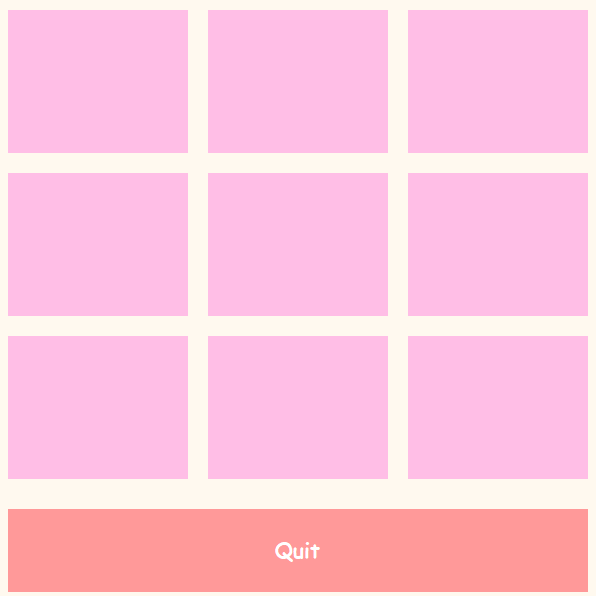
tic-tac-toe
To-Do List Web Application
Overview:
- Welcome to the To-Do List web application! This simple yet effective tool helps you manage your tasks with ease. With a clean and intuitive interface, you can add, mark as complete, and delete tasks effortlessly.
- HTML
- CSS
- JavaScript
- Python
Languages Used:
Features:
- Add New Tasks: Quickly add new tasks to your to-do list.
- Mark as Complete: Mark tasks as complete by clicking on them.
- Delete Tasks: Remove tasks from your list that are no longer needed.
- 1. Enter the task you want to add in the input field labeled "Add new task...".
- 2. Click the "Add Task" button to add the task to your list.
- 3. To mark a task as complete, click on the task item.
- 4. To delete a task, click the "Delete" button associated with the task.
Languages Used:
Requirements:
- Python
- The Tkinter library, which usually comes pre-installed with Python.
tic-tac-toe